
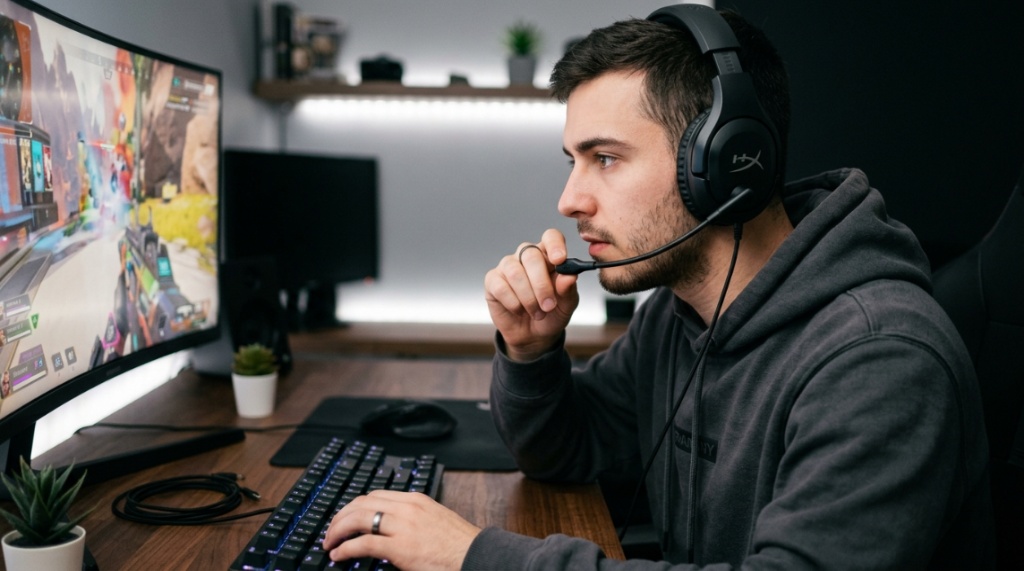
You have saved up for a new gaming headset, but you do not want to spend a fortune. You have seen the $300 flagships, but your wallet is telling you to look elsewhere. The problem is that cheap headsets often sound like tin cans, break after a month, or feature a microphone that makes you sound like you are underwater. The reality is that finding a pair of budget gaming headsets that actually deliver clear audio, a reliable mic, and decent comfort is entirely possible. You just need to know what specifications truly matter and which marketing gimmicks you can ignore. This guide cuts through the noise to help you choose a headset that performs without breaking the bank.
What Defines a Budget Gaming Headset in 2025?
Generally, a budget gaming headset falls between $20 and $80. This price range has improved dramatically over the last few years due to better manufacturing and fierce competition. You can now find features like virtual surround sound and decent build quality at half the price of premium models.
The Current Price Sweet Spot
The $40 to $60 range is currently the best value zone. Here, you get a solid plastic build with a metal-reinforced headband, 40mm to 50mm drivers, and a microphone that filters out background noise. Avoid headsets under $15, as they often fail within weeks.
Common Features You Should Expect
A proper budget headset should include a braided cable (which resists tangling), plush ear cushions (usually leatherette or mesh), and an inline volume control. Do not expect premium features like Bluetooth multipoint or high-res audio codecs at this price point.
Which Audio Driver Size Gives the Best Bang for Your Buck?
Driver size directly impacts sound quality, but bigger is not always better. In the budget category, you want to look for 40mm to 50mm neodymium drivers. These provide a good balance between bass punch and clarity without distorting at high volumes.
Why 50mm Drivers Are the Gold Standard
Larger drivers move more air, which creates deeper bass. For games like Call of Duty or Battlefield, 50mm drivers make explosions feel weighty. However, ensure the headset has a closed-back design to prevent sound leakage.
The Truth About 30mm Drivers
Many ultra-cheap headsets use 30mm or 32mm drivers. These often sound thin and lack the low-end rumble needed for immersive gaming. Unless you play only low-volume strategy games, skip sizes below 40mm.
How Important Is a Detachable Microphone for Budget Headsets?
A detachable microphone is a deal-breaker feature for longevity. If the mic breaks (which is common in budget headsets), you can replace it instead of buying a whole new headset. Look for flexible, gooseneck mics with a cardioid polar pattern.
Cardioid vs. Omnidirectional Mics
Cardioid microphones pick up sound primarily from the front, rejecting background noise from your keyboard or air conditioner. This is essential for clear voice chat. Omnidirectional mics pick up everything, making you sound muffled in loud environments.
When to Choose a Fixed Microphone
Some budget headsets with fixed mics offer surprisingly good sound quality at a lower price. If you treat your gear carefully and rarely move the mic arm, a fixed mic can save you $10 to $15. However, you lose the flexibility of replacement.
Can a Budget Headset Deliver Good Surround Sound?
Yes, but with a caveat. True physical surround sound requires multiple drivers per ear, which is expensive. Budget headsets use virtual surround sound, which is a software trick that processes stereo audio to simulate directional cues.
Windows Sonic vs. Dolby Atmos for Gaming
Windows Sonic is free and built into Windows 10 and 11. It works surprisingly well for budget headsets, improving spatial awareness in games like Fortnite or Apex Legends. Dolby Atmos offers slightly better precision but costs $15 for a license. Stick with Windows Sonic to save money.
Hardware Virtual Surround vs. Software
Some budget headsets claim to have “7.1 USB sound cards.” These are essentially software-based solutions in a dongle. They rarely outperform free software solutions. Spend your money on better physical drivers rather than a bundled sound card.
Is Wired or Wireless Better on a Tight Budget?
Wired is significantly better below $80. Wireless budget headsets often suffer from signal dropouts, low battery life (4-6 hours), and higher latency that creates audio lag. A wired connection is instant, reliable, and requires no charging. To interlink your article with Maintain Wireless Call Buttons, you can naturally integrate it into a sentence discussing device durability or general peripheral maintenance if relevant, or place it in a related hardware care section using this anchor text
Latency Issues with Budget Wireless
Cheap Bluetooth codecs like SBC have noticeable latency (100ms-200ms), which makes audio desync from video. For competitive gaming, this is unacceptable. Even budget 2.4GHz wireless headsets often compress audio to save bandwidth, reducing sound quality.
The Weight and Battery Trade-off
Budget wireless headsets are often heavier due to the battery, weighing around 300-350 grams. This causes fatigue during long sessions. Wired headsets typically weigh under 250 grams, making them more comfortable for extended play.
Which Connection Type Should You Choose: USB or 3.5mm?
Choose 3.5mm if you want maximum compatibility with consoles, PCs, and mobile devices. Choose USB if you want easy access to virtual surround sound software. For pure audio quality, 3.5mm into a dedicated sound card is better.
The Advantage of USB Detachable Cables
Some budget headsets come with a detachable USB cable that includes a built-in sound card. This is convenient for laptops without a dedicated headphone jack. However, the built-in DAC in cheap USB cables is often low quality.
Consoles and Compatibility
If you play on Xbox, you need a headset that works with the Xbox controller’s 3.5mm jack. PlayStation and Nintendo Switch also prefer 3.5mm. Avoid USB-only headsets for console use unless you confirm they have native support.
How to Test Comfort and Fit Without Trying Them On?
Look for headsets that weigh under 250 grams and use memory foam ear cushions. The headband should be padded with a flexible metal spring inside (not just plastic). A clamp force that is too tight will cause headaches within an hour.
Measuring Clamp Force
Budget headsets often have excessive clamp force to ensure a secure fit. Read reviews mentioning “tight on my head” or “pressure on temples.” A good budget headset should feel snug but not squeezing.
Ear Cup Depth and Material
Shallow ear cups press against your ears, causing soreness. Look for cups at least 1.5 inches deep. Leatherette material isolates sound better but makes your ears sweat. Mesh/velour fabric is more breathable but leaks sound. Choose based on your climate.
Which Brands Offer the Best Build Quality Under $50?
HyperX, Razer, and Logitech have proven track records for durable budget headsets. Smaller brands like Cooler Master and SteelSeries also offer competitive models. Avoid generic “gaming” brands that change names every year.
HyperX Cloud Stinger and Its Competitors
The HyperX Cloud Stinger is a benchmark for budget headsets. It uses a rotating ear cup design that resists breakage, and the audio is balanced with good mids. Competing models from Razer (Kraken X) use thinner plastic but are lighter.
Why You Should Avoid Amazon Off-Brands
Off-brands like “Wicked Bunny” or “Pusok” often use low-quality drivers that distort easily. The plastic headbands snap within months. Stick to established peripheral brands that offer warranty support (typically 1-2 years).
How to Spot a Fake or Overly Hyped Budget Headset
If a headset claims “studio-quality sound” for $25, be skeptical. Look for verified purchase reviews on Amazon or Reddit communities like r/headphones. Fake reviews often use generic phrases like “amazing quality for the price!” without specific details.
Red Flags in Spec Sheets
Be wary of headsets that advertise “Hi-Res Audio” without listing the frequency response range. Also, headsets claiming “noise-cancelling microphone” at $20 are likely lying; true ANC microphones cost much more to implement.
Using Decibel Ratings as a Fake Metric
Some budget headsets print “120dB sensitivity” to seem powerful. In reality, this rating does not equal loudness or clarity. A headset with 105dB sensitivity can sound louder if it has better impedance matching. Ignore raw numbers; trust audio samples from reviewers.
What Accessories Should a Budget Headset Include?
A budget headset should include a splitter cable (for PC audio and mic), a carrying pouch (even a cheap one extends life), and extra ear cushions. If a headset comes in a flimsy plastic box with no extras, expect poor quality.
The Importance of a Replacement Cable
Many budget headsets have non-removable cables. If the cable breaks (which happens near the jack), the headset becomes useless. Look for headsets with detachable cables, even if you have to spend $5 more.
Software vs. No Software
Some budget headsets require proprietary software to adjust EQ or enable virtual surround. This software is often buggy and consumes system resources. Prefer headsets that work perfectly out of the box without software.
How Do You Extend the Lifespan of a Budget Headset?
Budget headsets break faster due to cheaper materials. You can significantly extend their life by using a headset stand (prevents cable strain), avoiding yanking the cable, and storing it in a cool, dry place. Replace ear cushions every 6 months.
Cable Management Tips
Wrap the cable loosely around your hand before storing. Avoid wrapping it tightly around the headset, as this stresses the internal connections. Use a velcro strap rather than a zip tie to prevent kinking the wire.
Cleaning Ear Cushions
Leatherette cushions peel over time. Wipe them with a microfiber cloth after each use to remove sweat and oils. If peeling starts, you can buy replacement cushions for $5-$10 on Amazon. Do not wait until the foam is exposed.
Are Refurbished or Open-Box Budget Headsets Worth It?
Yes, if you buy from a reputable seller. Refurbished headsets from brands like HyperX or Logitech often cost 30-40% less and include a warranty. Open-box headsets from Best Buy or Micro Center are often returned for minor reasons (wrong size).
What to Check Before Buying Refurbished
Ensure the product includes all original accessories (especially the cable and mic). Check that the warranty is valid for at least 90 days. Avoid “seller refurbished” from third-party marketplace sellers with no return policy.
The Risk of Used Headsets
Used gaming headsets often have deformed ear cushions from sweat and heat. The microphone foam may carry bacteria. Unless you can sanitize them thoroughly, skip used purchases for hygiene reasons.
Frequently Asked Questions
Can I use a budget gaming headset for music production?
No. Budget gaming headsets have boosted bass and recessed mids, which is poor for critical listening. Use dedicated studio headphones for music production. For casual music listening while gaming, they work fine.
Are budget headsets with RGB lighting worth it?
Generally no. RGB lighting adds cost and reduces battery life in wireless models. It also introduces another failure point (LEDs burn out). Spend the money on better drivers or build quality instead of lights.
How do I know if a headset is compatible with my console?
Check the connection type. If it has a single 3.5mm plug, it works with Xbox, PlayStation, Switch, and PC. USB-only headsets require specific console support. Look for “Xbox certified” or “PS4/PS5 compatible” on the product page.
What is the difference between a gaming headset and regular headphones?
Gaming headsets include a built-in microphone, often have louder bass, and use a closed-back design to isolate noise. Regular headphones prioritize music accuracy and may have an open-back design for a wider soundstage. Choose a headset for chat; choose headphones for music.
Can I replace the ear cushions on a budget headset?
Yes, if the headset uses standard mounting rings. Brands like HyperX and Logitech have widely available replacement cushions. Check YouTube tutorials before buying to confirm replacement is possible without glue or special tools.
Do budget headsets work with Discord and voice chat apps?
Yes. Any headset with a 3.5mm jack or USB connection is recognized by Windows, Mac, and consoles as a microphone. Discord works with any standard audio device. Ensure you set the headset as the default input device in your system settings.
How long should a budget gaming headset last?
With proper care, a good budget headset lasts 1-2 years. The cable is usually the first to fail. If you buy a model with a detachable cable and replace ear cushions, you can extend the lifespan to 3 years or more.
About Author
